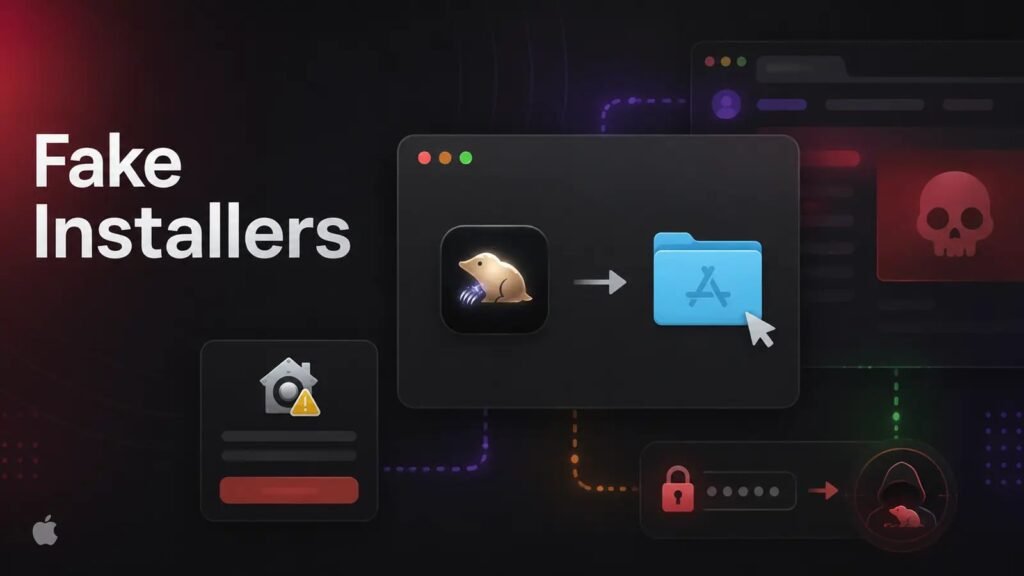
A malware campaign linked to North Korean state-backed hackers is distributing trojanized versions of fourteen popular macOS applications, using fake job interviews as the delivery vehicle for a credential-stealing tool called OtterCookie. The activity is being tracked as part of the long-running Contagious Interview operation, which has spent years targeting software developers and job seekers by posing as legitimate recruiters.
Fourteen Familiar Names, Weaponized
Rather than inventing new lures, the operators behind this campaign chose to impersonate applications that developers already know and trust. The spoofed titles include The Unarchiver, Presentify, PDFify, Magic Disk Cleaner, Sketch, SiteSucker Pro, RAR Extractor Max, Mp3tag, Mole, HextEdit, Folder Preview Pro, Disk Doctor Pro, ServerCat, and Bartender. Several of these are genuinely popular utilities among Mac users and developers, which makes the fake versions more convincing to a target who has been told to install “assessment software” as part of a supposed hiring process.
Two Delivery Methods, One Goal
The campaign ships its payload through both of the two standard macOS installation formats, and both lack valid code signatures or Apple notarization, a fact that alert users could catch if they know to check.
- Disk images (DMG): A hidden executable named
.macosruns automatically when the victim double-clicks the application bundle. It strips the quarantine attribute from the legitimate-looking decoy app and launches it to maintain the illusion that nothing is wrong, while quietly reaching out to the attackers’ staging server in the background. - Installer packages (PKG): An unsigned installer drops a preinstall script into the Application Support directory, with a postinstall script that triggers execution and likewise attempts to strip macOS’s built-in protection flags.
Notably, the hidden executable is built specifically for Intel processors, meaning it requires Rosetta 2 translation to run on newer Apple Silicon Macs, a detail that suggests the tooling may not yet be fully updated for Apple’s current hardware lineup.
Inside the Infection Chain
Once triggered, the malware unfolds in stages rather than deploying its full capability at once. The initial .macos executable contacts a staging server, then retrieves a script named tokenlinux.sh that creates a concealed folder at ~/.task and pulls down additional components. From there, the infection installs a Node.js runtime along with a malicious file named parser.js, executing everything through legitimate package manager commands to help blend in with normal developer activity on the machine. Later requests in the chain use short-lived signed tokens, apparently to track individual infected sessions and control how much of the payload each victim receives.
What OtterCookie Steals
The final-stage payload, OtterCookie, is built for credential and asset theft rather than destructive activity. Its documented capabilities include:
- Harvesting saved credentials from web browsers
- Locating and exfiltrating cryptocurrency wallet access data
- Searching the file system for sensitive documents to steal
- Continuously monitoring and collecting clipboard contents, a common vector for intercepting copied wallet addresses or passwords
- Providing remote-access trojan functionality over Socket.IO, giving operators a live channel into the infected machine
Researchers note that the samples examined may still represent early-stage development, since they do not execute automatically by default in every scenario, suggesting the operators are continuing to refine the tooling.
The Social Engineering Behind It
Contagious Interview has become one of the more durable tactics in North Korea’s cyber toolkit precisely because it targets a moment when victims are primed to follow instructions: a job interview. Targets, typically developers or other technical job seekers, are contacted by someone posing as a recruiter and are sent coding assessments, interview materials, or “required” software installers as part of the supposed hiring process. Because candidates want to make a good impression and are used to installing unfamiliar tools for technical tests, they are often willing to bypass security warnings that would otherwise give them pause.
Infrastructure Behind the Campaign
The operation runs on two distinct sets of servers: staging infrastructure at 162.0.239[.]85 on port 3000 handles initial payload delivery, while a separate set of operator servers at 147.124.202[.]205, listening on ports 7671, 7676, and 7679, manages live infections and data exfiltration. Several domains, including w3pi[.]social, softcus[.]net, and pobelstudio[.]com, resolve to this staging infrastructure.
How to Protect Against It
For individual users, the strongest defenses remain straightforward but require discipline during a high-pressure hiring process:
- Only install software from official app stores or a publisher’s own verified website, never from a link sent by a recruiter
- Check for a valid developer signature before running any downloaded application
- Never strip a quarantine attribute or override Gatekeeper warnings simply to get an unfamiliar tool to run
- Treat any unsolicited “install this for your interview” request as a potential security incident, especially if the process pressures you to disable security protections or run terminal commands
Organizations that regularly interview external candidates or handle contributed code should also review interview workflows, keep endpoint threat prevention and web filtering active on developer machines, and make sure staff involved in technical hiring know to report suspicious installers rather than simply working around them to complete an assessment.
Leave a Reply
You must be logged in to post a comment.