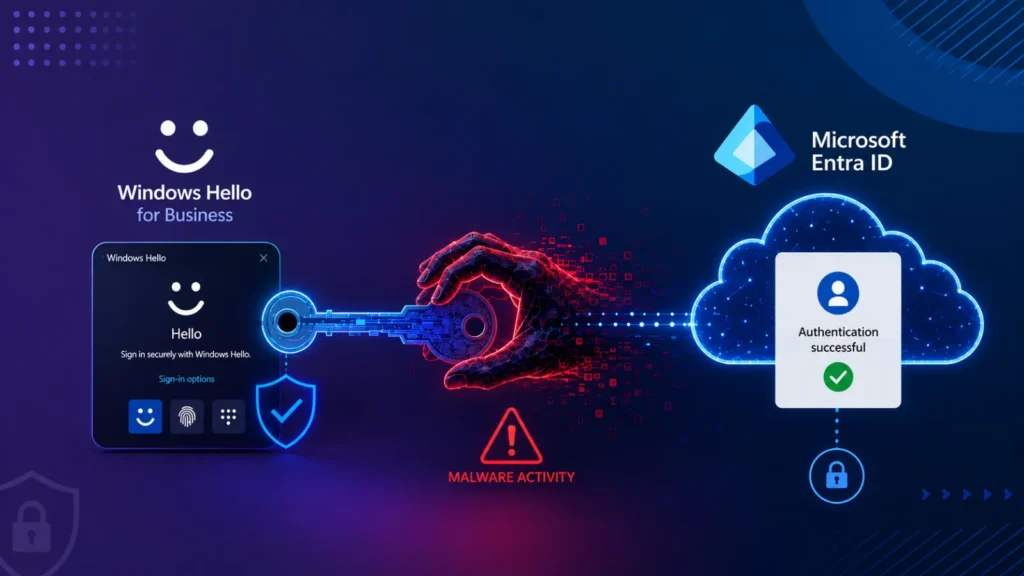
Windows Hello for Business was built to get rid of passwords altogether, tying sign-in to a cryptographic key locked inside a device’s Trusted Platform Module and unlocked only with a PIN, fingerprint, or face scan. New research from security researcher Dirk-jan Mollema shows that a process already running inside an active, unlocked Windows session may be able to use that protected key on the attacker’s behalf, without ever triggering a fresh PIN or biometric prompt, opening a path into Microsoft Entra ID that doesn’t require stealing the victim’s password at all.
Not a Key Theft, But a Key Abuse
It’s important to be precise about what this research does and doesn’t show. Attackers cannot simply copy a TPM-protected private key off a device; the whole point of hardware-backed key storage is that the key itself never leaves the chip. What malware operating within an unlocked user session can potentially do instead is ask Windows to perform cryptographic signing operations using that protected key, without needing to touch or extract the key material directly. Those signatures can then be fed into identity flows that prove control of the Windows Hello credential, effectively borrowing the key’s authority rather than stealing the key itself.
Two Paths Into Entra ID
The most direct path involves requesting a Primary Refresh Token, or PRT, a powerful Microsoft Entra ID artifact that underpins single sign-on across Microsoft’s cloud services. A valid PRT can be renewed and provides long-lived access, making it a high-value target for attackers seeking persistence inside a cloud environment. Previously, pulling this off required the attacker to also have access to a separate Entra ID-joined or registered device.
Mollema’s research demonstrates a second option that removes that requirement: treating the Windows Hello for Business key as if it were a FIDO2 passkey, using the WebAuthn authentication protocol that underlies most modern passwordless logins. By generating a valid WebAuthn assertion using the victim’s Windows Hello key, an attacker could authenticate to Microsoft Entra ID from an entirely separate machine. Because this sign-in doesn’t originate from the victim’s normally registered device, the resulting access tokens can end up missing a device identifier altogether.
Why the Missing Device ID Matters
That gap turns out to be useful to an attacker in its own right. Tokens issued without device-bound state can potentially be used to register an entirely new, attacker-controlled device inside Entra ID. From that foothold, an attacker could attempt to obtain a PRT of their own, establish longer-term persistence, or add new authentication methods, including new passkeys tied to accounts they now control.
A Headache for Conditional Access
The research also exposes an uncomfortable wrinkle for organizations relying on Conditional Access policies. Because both Windows Hello and FIDO2 are treated as phishing-resistant authentication methods, a forged authentication flow built on top of an already-compromised session can end up satisfying policies that specifically require strong, phishing-resistant multi-factor authentication. Policies that additionally require a compliant or managed device can still block some of this activity, but attackers may look for ways to work around device restrictions once they’ve already gained a cloud foothold.
What Defenders Should Watch For
Security teams monitoring Entra ID environments have a few concrete signals to look for in the wake of this research:
- Windows Hello for Business authentications in sign-in logs where the device identifier field is empty; this can happen legitimately in private browsing or certain browsers, but it should be relatively rare in a well-managed enterprise environment.
- Unexpected new device registrations following a sign-in event, particularly ones not tied to a recognizable enrollment process.
- Newly added authentication methods, especially new passkeys, added to accounts without a corresponding help-desk or self-service request.
- Unusual token activity or PRT renewal patterns following any known or suspected endpoint compromise.
The underlying takeaway is one defenders have heard before in different forms: protecting the active, unlocked user session itself remains essential, because this entire attack chain depends on malware already running as the targeted user. Passwordless and phishing-resistant authentication meaningfully raises the bar against credential theft and remote phishing, but it doesn’t eliminate the value of a compromised endpoint to an attacker who’s already inside.
Leave a Reply
You must be logged in to post a comment.