A Fake Update Screen With Real Consequences
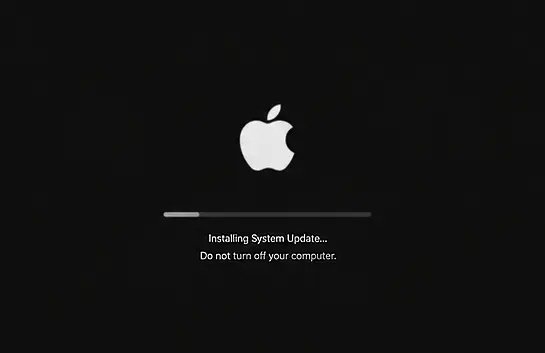
A North Korea-linked operation is using a convincing piece of theater to break into Mac computers: a browser overlay that mimics a frozen or rebooting macOS update screen, complete with a “Copy Verification Code” button. Victims are told their system needs a manual fix and are guided to open Terminal and paste a command — one the malicious page has already placed on their clipboard. That single paste is enough to start the infection chain.
Researchers at AllSecure identified the campaign while investigating an unrelated malvertising incident that began with ordinary web browsing, not a targeted phishing email or fake job offer. That’s a notable shift: the social-engineering technique, known as ClickFix, has previously been associated most closely with North Korean-linked group UNC5342 and its Contagious Interview job-lure campaigns, but this operation shows the same playbook expanding into broader, opportunistic malvertising.
From a Pasted Command to a Full Compromise
Once a victim runs the pasted command, a dropper quietly installs Node.js and launches an obfuscated remote access trojan. Rather than reaching out to a conventional command-and-control server, the malware queries Ethereum smart contracts to retrieve its live instructions — a technique called EtherHiding. Because the smart contract functions as the configuration layer, attackers can rotate infrastructure at will without ever having to update the malware already sitting on infected machines, making takedown efforts considerably harder.
The backdoor checks in with its contract roughly every five minutes and can execute attacker-supplied JavaScript on demand. It secures its foothold through several persistence mechanisms: LaunchAgent entries, modified shell profiles, and hidden files tucked into cache directories, all engineered to survive a reboot.
The Real Target: Wallets and Developer Credentials
Once established, the malware deploys an infostealer built to search for data belonging to 157 different cryptocurrency wallets. It doesn’t stop there — it also harvests saved browser passwords, cookies, browsing history, bookmarks, SSH keys, cloud credentials, npm configuration files, and Foundry keystores, the kind of material that can unlock a developer’s entire working environment.
The campaign then quietly installs a malicious Chrome extension disguised as “Google Drive Offline,” requesting sweeping permissions including browser debugging, cookie access, native messaging, and access to all URLs — effectively a persistent surveillance layer sitting inside the browser itself.
The developer focus is deliberate. Stolen SSH keys, cloud credentials, and browser sessions don’t just expose personal crypto holdings; they can hand attackers a route straight into corporate infrastructure, echoing tactics seen in earlier North Korean campaigns that weaponized npm packages to target software developers directly.
Following the Money
AllSecure’s financial tracing offers a sense of scale: roughly 464.80 ETH, worth close to $890,000 at the time, moved into the attacker’s treasury wallet through 281 separate transfers between late May and July 2026. The researchers stopped short of confirming that every deployment chain traced back to a single operator, but the transaction volume alone suggests an operation running well beyond a proof-of-concept stage.
What to Do If You Suspect a Compromise
Security teams should treat any Mac where a user pasted and ran an unverified Terminal command as compromised until proven otherwise. Recommended response steps include:
- Isolate the device immediately and avoid using it to reset credentials or move funds.
- Check for malicious LaunchAgent entries, unexpected
.zshrcmodifications, suspicious Node.js processes running from cache directories, and unfamiliar Chrome extensions. - Reset credentials only from a known-clean device, and migrate cryptocurrency holdings to a freshly created wallet.
- Watch for host indicators such as
NODE_TLS_REJECT_UNAUTHORIZED=0being set, a stopped Notification Center process, or Node.js executing from a Library/Caches path.
Above all, the campaign leans on a simple but persistent blind spot: legitimate operating system updates never require a user to manually paste a command into a terminal window. That single habit — treating any such prompt as an immediate red flag — remains one of the most effective defenses against this entire category of attack, regardless of how the lure or the underlying malware evolves.
Leave a Reply
You must be logged in to post a comment.