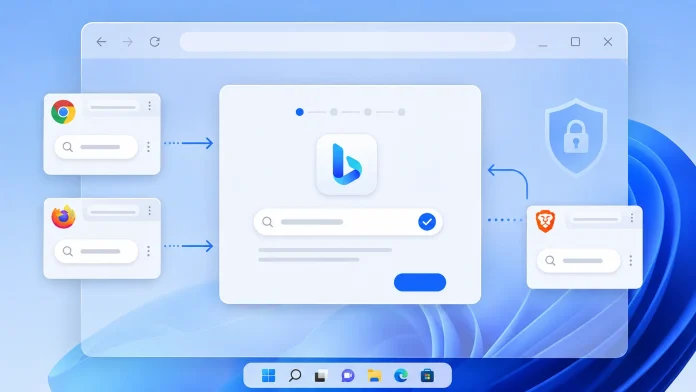
A newly discovered Microsoft tool is quietly nudging Windows users away from their preferred browser search engines and toward Bing, using a technique that researchers say borrows heavily from the playbook of genuine search-hijacking malware, even though it comes with Microsoft’s own name attached.
What Was Found
The tool, a 22.2 MB standalone installer called MicrosoftSettings.exe and branded “Microsoft Recommended Search Settings,” was flagged by tester Xeno Panther and reported by Windows Latest on August 22, 2026. Once run, it deploys the “Microsoft Bing Homepage & Search” browser extension, an extension that already exists on the Chrome Web Store with roughly five million installs, but which this new installer distributes through a fresh channel outside the usual extension store flow.
The installer is hosted on Microsoft’s own official download servers rather than pushed through Windows Update or the Microsoft Store, and there is no evidence so far that it deploys automatically. A user has to actively download and run it. That said, the interface is designed to make acceptance the path of least resistance: the setup screen greets users with “Welcome to Microsoft Recommended Search Settings,” alongside a toggle for Bing that is pre-set to “Yes” by default.
How It Behaves Once Installed
Small print in the installer notes that the change applies across Microsoft Edge, Mozilla Firefox, and Google Chrome. After a user clicks through, the extension installs itself and redirects to rewards.bing.com/m365offer, a page tied to Microsoft’s rewards program. The tool is built using Microsoft’s WinUI shell and WebView2 framework, which gives it the polished, official look of a legitimate first-party system utility rather than a third-party add-on.
Notably, both Chrome and Brave interrupted the installation with their own permission prompts before allowing the extension through. Chrome’s warning told users the extension “wants permission to read and change all data on websites, show notifications, and replace the homepage, start page, and search settings with bing.com,” a permission set that would set off alarm bells if requested by an unfamiliar third-party extension.
Legitimate Tool, Familiar Tactics
That overlap is exactly what has security researchers uneasy. As the original reporting put it, those are “the same powerful hooks abused in search-hijacking campaigns and fake AI search extensions that reroute queries through someone else’s infrastructure.” The key distinction, of course, is that this extension comes from a verified first-party publisher rather than a criminal group, and the article is careful to note that “it is still not a silent takeover” since it does require user interaction at multiple points.
Still, the design choices, an official-sounding filename, a pre-checked default, and an interface built to encourage users to “tap through” without reading closely, are the same dark-pattern techniques that make hijacking campaigns effective in the first place. Once installed, the extension gives Bing visibility into search behavior and replaces a user’s customized homepage with what the report describes as “the cluttered MSN feed.”
No Word From Microsoft
As of publication, Microsoft has not issued any public statement explaining the tool’s purpose or rollout strategy. The most plausible motivation is straightforward: driving more traffic to Bing and Microsoft Rewards, both of which factor into Microsoft’s broader advertising and engagement metrics. It fits a longer-running pattern of Microsoft promoting its own services inside Windows, though distributing a standalone installer whose entire purpose is to alter competitors’ browser defaults is an unusually direct move.
What Users Can Do
- Decline or ignore MicrosoftSettings.exe unless you genuinely want Bing and MSN as your defaults.
- If it has already been installed, review your browser’s extensions list and remove “Microsoft Bing Homepage & Search” manually.
- Check your browser’s search engine and homepage settings after any Microsoft update or tool installation, since defaults can be changed without a full reinstall of the browser itself.
- Treat pre-checked “recommended” toggles in any installer, Microsoft’s included, as a prompt to slow down and read rather than click through.
Whether or not Microsoft intended the resemblance, the episode is a useful reminder that the line between “aggressive first-party marketing” and “browser hijacking” is mostly a matter of who’s doing it, not what technique is being used.
Leave a Reply
You must be logged in to post a comment.