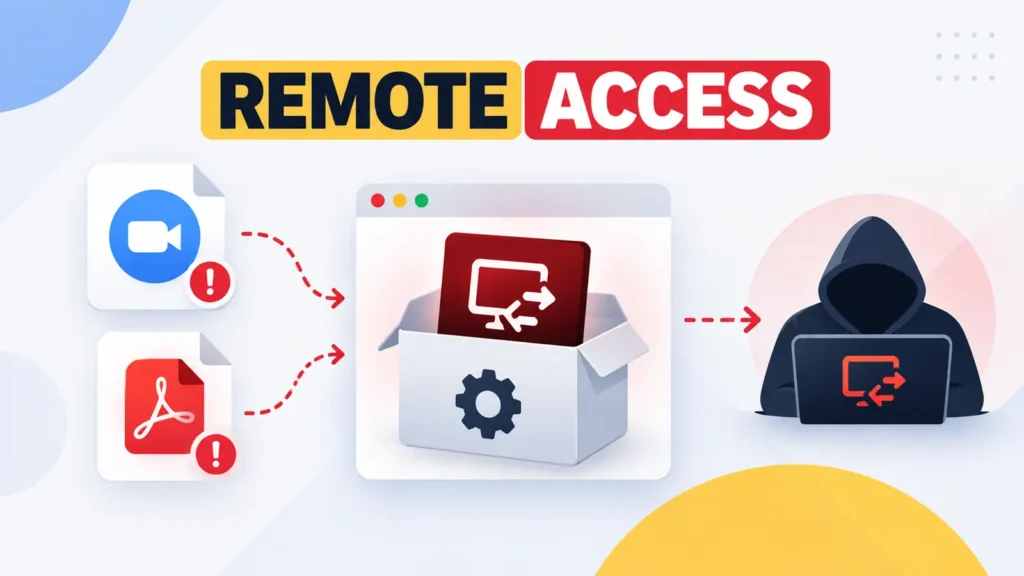
A phishing operation is disguising legitimate remote-management software as Zoom installers, PDF readers and business documents, giving attackers durable control of Windows computers without relying on a conventional malware loader. Microsoft observed the campaign across multiple industries in July 2026 and has not publicly tied it to a named threat group.
The technique abuses trusted administrative products rather than exploiting a vulnerability in them. Victims receive meeting invitations, document requests, delivery notices, software-update prompts, job offers or RSVP cards. Links lead to pages that imitate familiar collaboration and document services, where users are encouraged to download a deceptively named installer.
A signed tool arrives under a familiar name
The first-stage package is MSP360 Remote Monitoring and Management version 2.5.0.67. Although the software is genuine and was digitally signed, attackers renamed it to resemble a Zoom setup file, Adobe-style PDF utility, invitation or official statement. The sample’s signing certificate has since been revoked.
If a user launches the file and approves the Windows administrator prompt, MSP360 services are installed and configured for automatic startup. The process also creates a firewall rule permitting inbound UDP traffic to the agent on port 48678. Where users rejected or abandoned the elevation request, the installation did not fully complete, highlighting the importance of treating unexpected privilege prompts as a warning.
Because remote monitoring tools are common in corporate environments, malicious installations can resemble normal support activity. The application performs legitimate functions, but its management session belongs to the attacker. That can make simple malware signatures less useful and place more weight on software inventory, installation context and account ownership.
A second channel adds resilience
After MSP360 becomes active, its agent starts PowerShell, downloads another installation package and silently deploys a ConnectWise ScreenConnect client. This gives the operators a separate route back into the computer. Removing one remote-access product may therefore leave the other channel operational.
Researchers saw ScreenConnect transfer and run additional utilities from temporary locations in the user’s Documents or OneDrive Documents folders. The observed tools were associated with password and browser-data collection, launching additional files, and hiding windows or the mouse cursor. Those capabilities could help an intruder steal accounts, conceal activity and expand access within the network.
Microsoft also observed separate July activity in which another legitimate deployment agent installed ScreenConnect. The overlap reinforces that attackers are adopting a general bring-your-own-remote-management strategy rather than depending on one product.
Delivery infrastructure keeps changing
Campaign links have used attacker-operated domains, compromised websites and well-known cloud platforms including Amazon S3, Cloudflare R2, Dropbox, GitLab and Supabase. Frequent infrastructure changes complicate domain-only blocking and allow malicious downloads to inherit some trust from established hosting services.
Defenders should connect the email, download and endpoint stages instead of examining each event in isolation. A user who visits a fake meeting page, downloads a signed administration tool and then approves an elevation prompt creates a sequence that is far more suspicious than any single action.
Detection and containment priorities
- Maintain an allowlist and ownership record for approved remote-management products and tenants.
- Alert on new MSP360 or ScreenConnect services outside authorized deployment windows.
- Investigate PowerShell or silent Windows Installer activity launched by an RMM agent.
- Use publisher and certificate controls to block unauthorized instances where operationally safe.
- Require multi-factor authentication for sanctioned remote-support platforms.
- Reset credentials used during unauthorized installation and investigate possible lateral movement.
Incident responders should not assume that uninstalling the visible program ends access. They should check for both remote tools, related services, firewall changes, transferred utilities, browser credential exposure and persistence. Accounts used on the host may need session revocation as well as password changes.
This campaign demonstrates the limits of dividing software into simply “good” and “bad.” A trusted, signed support tool can produce the same outcome as a custom backdoor when an attacker controls its configuration. Effective defense depends on knowing which remote-access software is authorized, who owns its management console and why it appeared on a particular endpoint.
Source: Cyber Security News, drawing on Microsoft’s campaign analysis.
Leave a Reply
You must be logged in to post a comment.