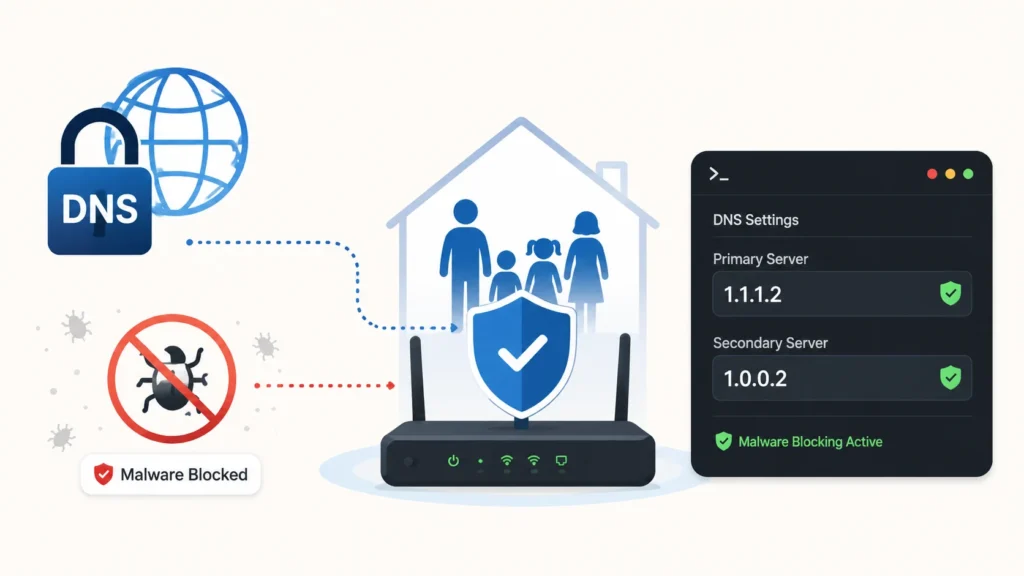
A small change to a home router can add a useful security checkpoint for every device connected to it. By replacing an internet provider’s default Domain Name System resolver with Cloudflare’s malware-filtering service, households can prevent many requests to domains already associated with phishing or malicious software. The approach is free, requires no new application on individual devices, and can cover everything from laptops and phones to smart televisions and connected cameras.
The recommended IPv4 addresses are 1.1.1.2 for the primary resolver and 1.0.0.2 for the secondary. Cloudflare also offers a stricter family option at 1.1.1.3 and 1.0.0.3, which adds filtering for adult content. The distinction matters: the malware-only service is primarily a security control, while the family service combines security and content restrictions.
How DNS filtering interrupts a risky connection
DNS acts like an address directory for the internet. Before a browser or application can connect to a named website, it normally asks a resolver for the site’s numerical IP address. A security-focused resolver checks that request against its threat classifications. If the destination is known to distribute malware or imitate legitimate login pages, the service can return a non-routable response instead of the real address.
That intervention occurs before the device establishes a normal connection to the dangerous domain. Configuring it at the router gives households a convenient central enforcement point: devices that accept the router’s DNS settings receive the protection without separate installations. This is particularly attractive for equipment with limited security controls, including game consoles, streaming boxes and many Internet of Things products.
What households need to change
The exact menus differ among router manufacturers and internet providers, but DNS fields are commonly located under Internet, WAN, LAN or DHCP settings. Administrators should record the existing values before changing anything, enter both filtered resolver addresses, save the configuration and then test ordinary browsing. Restarting the router or reconnecting client devices may be needed before cached settings expire.
- Use 1.1.1.2 and 1.0.0.2 for malware and phishing filtering.
- Use 1.1.1.3 and 1.0.0.3 when adult-content filtering is also wanted.
- Record the previous configuration so it can be restored if compatibility problems appear.
- Check whether the router and household devices support IPv6, which requires the corresponding IPv6 resolver addresses.
After the change, users should verify the expected resolver is active and confirm that work, school, streaming and gaming services still function. Occasionally, threat intelligence can classify a legitimate domain incorrectly, while some provider-supplied routers may restrict custom DNS entries.
An extra layer, not “free antivirus”
DNS filtering has important limits. It only stops destinations the provider has already classified, so newly created or compromised domains may remain reachable. It cannot inspect every downloaded file, disinfect an infected computer, repair vulnerable software or prevent someone from entering credentials on a permitted website. A malicious service hosted on an otherwise trusted platform may also evade domain-level blocking.
Coverage is not guaranteed for every device. A phone using mobile data, a computer connected through a virtual private network, or an application with its own hard-coded resolver can bypass the router’s setting. Modern browsers and operating systems may use encrypted DNS independently unless administrators configure them consistently. These exceptions make testing more important than assuming the router change protects all traffic.
Building a practical defense for the home
The value of filtered DNS is its low friction. It can reduce exposure to common malicious links, especially in households with many devices or less experienced users, while requiring little maintenance. But it works best as one layer in a broader routine rather than as a substitute for established security controls.
Households should continue applying router firmware and operating-system updates, using unique passwords stored in a password manager, enabling multifactor authentication and running reputable endpoint protection where available. People should still treat unexpected messages, urgent payment requests and unfamiliar login pages with suspicion. When those habits and controls are combined, a DNS filter becomes a sensible additional barrier that can quietly stop some attacks at the network’s front door.
Leave a Reply
You must be logged in to post a comment.