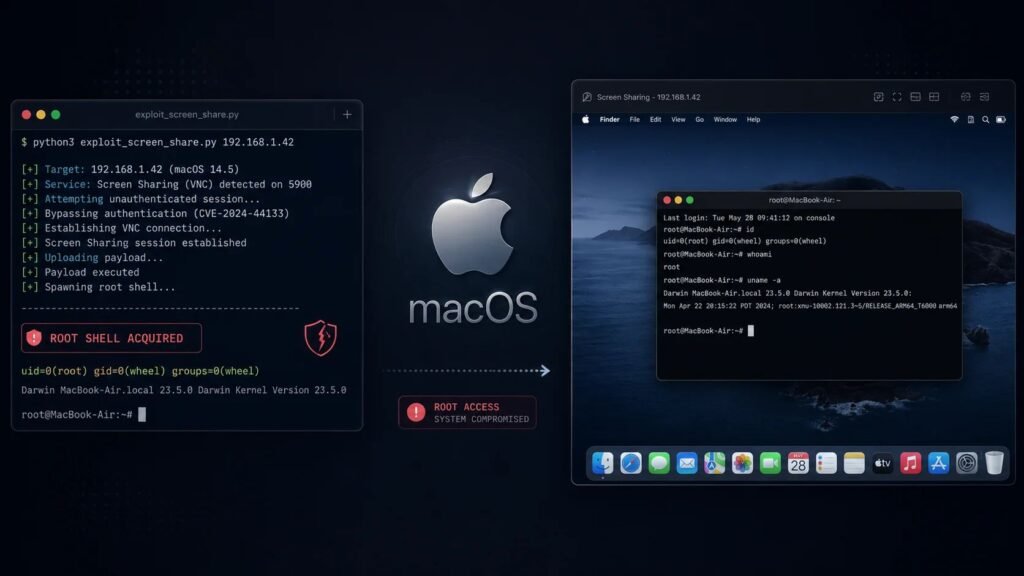
A newly disclosed macOS flaw shows how a decades-old remote access feature can still create a modern root-level security hole. Tracked as CVE-2026-43760, the bug lives inside Screen Sharing’s file-transfer components and was uncovered by researchers at Bynar, who found a way to turn a low-privilege VNC login into a fully interactive root shell.
A Privilege Mismatch Baked Into Screen Sharing
macOS Screen Sharing supports two very different ways to authenticate a remote session. The modern path ties a connection to an actual macOS user account, complete with that account’s normal permissions. The legacy path, inherited from the classic VNC protocol, instead relies on a single shared password set through the “VNC viewers may control screen with password” option — with no real user identity attached to it at all.
According to the researchers’ findings, the two file-copy helper processes behind Screen Sharing, known internally as SSFileCopySender and SSFileCopyReceiver, were never taught to tell the difference. Whether a session came in through a proper user login or the bare-bones VNC password, both helpers kept running with full root privileges. A connection authenticated with nothing more than a shared password should have been tightly restricted — instead, it inherited the same system-level trust as a logged-in administrator.
From File Transfer to Root Shell
That oversight turned a convenience feature into a serious attack path. Because the helpers ran as root, an attacker who could reach an exposed Screen Sharing session gained two dangerous capabilities:
- Arbitrary file reads — using
SSFileCopySenderto pull down any file on the system, including sensitive configuration files such as/etc/sudoers. - Arbitrary file writes — using
SSFileCopyReceiverto push a file to a destination of the attacker’s choosing, with a filename, permissions, and contents of their own design.
Bynar’s researchers demonstrated exactly how damaging that combination can be. By writing a specially crafted policy file into /private/etc/sudoers.d, they were able to grant themselves passwordless sudo rights — effectively converting a screen-sharing session into an unrestricted, interactive root shell on the target Mac, no password prompts required after the initial connection.
How Severe Is It, Really?
Severity ratings for the bug diverge depending on who is doing the scoring. Apple’s own advisory rates the issue at a moderate 5.5, while Bynar’s independent analysis puts it considerably higher, at 8.8 on the CVSS 3.1 scale for machines with an unlocked, active session. The gap likely reflects differing assumptions about how exposed a given Mac’s Screen Sharing configuration is in practice — but either way, root-level compromise via a screen-sharing session is not something administrators can afford to shrug off.
Who’s Exposed
The vulnerability only matters for machines that have Screen Sharing or Remote Management turned on and still permit the legacy VNC password option rather than requiring a real macOS user login. That configuration shows up more often than IT teams might expect — in classrooms, shared lab machines, kiosk-style setups, and any environment where administrators enabled a simple shared password for convenience rather than provisioning individual accounts.
What’s Been Fixed, and What to Do Now
Apple has already patched the underlying authorization flaw. Fixes shipped in macOS Tahoe 26.6 and macOS Sonoma 14.8.8, both released on July 27, 2026. Anyone running an older build remains exposed until they update.
For systems that can’t be patched immediately, or as a defense-in-depth measure regardless of patch status, security teams should:
- Disable the “VNC viewers may control screen with password” option in System Settings and require normal user-account authentication for Screen Sharing instead.
- Turn off Screen Sharing and Remote Management entirely on machines that don’t need them.
- Audit fleet-wide macOS configurations for legacy VNC password usage, particularly on shared or unattended machines.
- Prioritize the July 2026 update on any Mac where Screen Sharing is actively used for remote support or administration.
The flaw is a useful reminder that legacy compatibility options often carry legacy assumptions about trust — and that a feature designed for convenience can quietly become a privilege-escalation shortcut if those assumptions are never revisited.
Leave a Reply
You must be logged in to post a comment.